This case study records work and measurements from the original project. The linked reports and screenshots are historical results, not a live assessment of the website today.
The optimization project for Mainostoimisto Keko involves enhancing the performance and user experience of their WordPress website. The focus is on implementing various strategies to improve website speed, caching, SEO, responsiveness, and overall functionality.
This optimization effort includes optimizing images, streamlining code, writing SEO content and ensuring efficient server-side processes. The goal is to create a more streamlined and user-friendly online presence for Mainostoimisto Keko, ultimately enhancing their website’s performance and user satisfaction.
Optimization Reporting
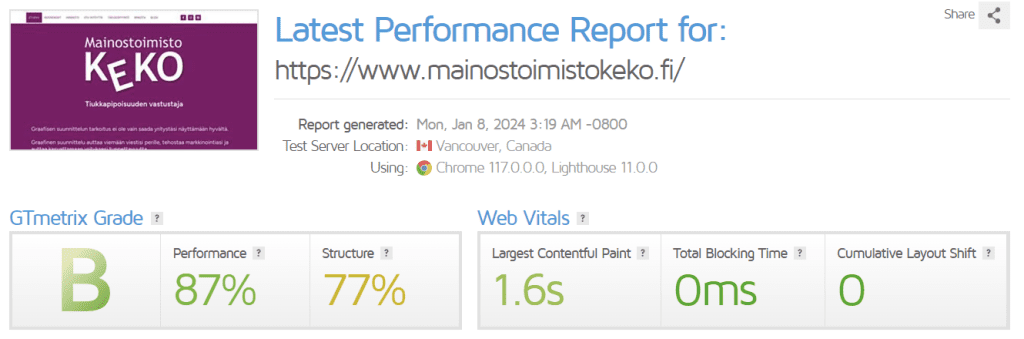
GTmetrix is a website performance testing tool. Its current reports use Lighthouse-based metrics and audits; older reports used PageSpeed and YSlow recommendations. Results depend on the test settings and conditions. Use comparable tests to investigate loading time, request size and performance bottlenecks.
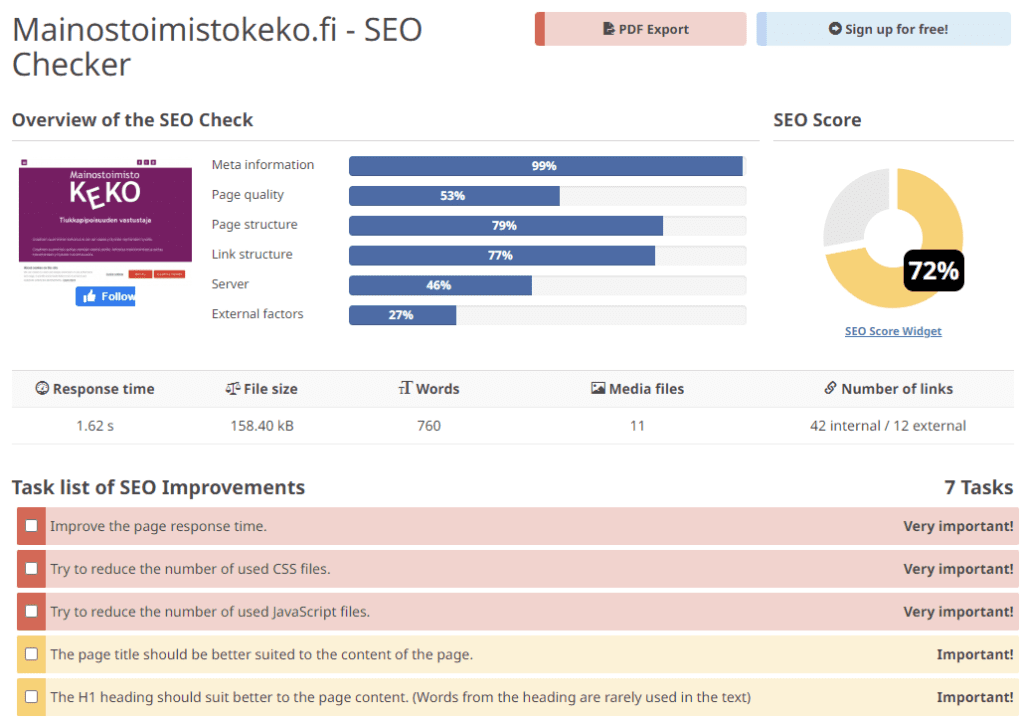
Seobility is an SEO (Search Engine Optimization) tool that helps website owners and digital marketers improve their website’s visibility on search engines. It offers features such as on-page SEO analysis, backlink monitoring, and rank tracking. Seobility scans websites for SEO issues and provides detailed reports on areas that need improvement. Users can address issues like broken links, missing meta tags, and duplicate content to enhance their website’s SEO performance. Additionally, Seobility offers insights into keyword rankings and backlink profiles, aiding users in developing effective SEO strategies.
SEO of WordPress articles
Optimizing SEO for WordPress articles involves implementing strategies to enhance the content’s visibility and ranking on search engines. This typically includes thorough keyword research to identify relevant and high-traffic terms, integrating these keywords strategically within the article’s title, headings, and throughout the content. Utilizing descriptive meta tags, such as meta titles and meta descriptions, is crucial for attracting clicks from search engine results.
Image optimization, descriptive URLs and clear navigation can help users and search engines understand a site. Keep content useful and current, and earn relevant links rather than treating backlinks as a shortcut. Plugins such as Yoast SEO and All in One SEO can assist with technical and editorial checks, but their scores do not guarantee search rankings or traffic.
Images and loading speed

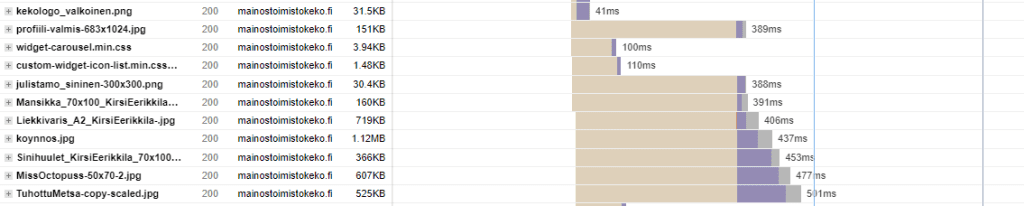
Large image files can delay page loading. Resize images for their intended use and choose an appropriate format and compression level. Compare visual quality before replacing originals; smaller files may involve a quality trade-off.
TinyPNG: TinyPNG compresses image files, including PNG and JPEG, and provides optimized versions for download. Compare the result with the original to choose an acceptable balance between file size and visual quality.
Optimizing Images on WordPress:
- Plugin Usage: WordPress plugins such as Smush and Imagify can optimize uploaded images. Available compression modes and features vary. Keep original files and check the results rather than assuming every setting preserves the same image quality.
- Manual Compression: Before uploading images, manually compress them using external tools like TinyPNG. Once compressed, upload the optimized images to the WordPress media library.
- Responsive Images: Use responsive image markup, including srcset and appropriate sizes information, so the browser can select a suitable image for the layout and device. WordPress generates responsive markup for many media-library images; check what the theme actually outputs.
- Lazy Loading: Lazy loading can defer off-screen images until they approach the viewport. Do not defer an important image already visible at initial load, such as the page’s main image, without checking the performance impact.
By combining these methods, WordPress users can effectively optimize image sizes, contributing to faster page loads, improved website performance, and a better overall user experience.
Using Cloudflare CDN (Content Delivery Network):
Cloudflare is a widely used CDN (Content Delivery Network) that enhances the speed, security, and reliability of websites by distributing content across a global network of servers. Key features of Cloudflare include:
- Content Distribution: Cloudflare can serve eligible cached resources from its network, reducing requests to the origin. What gets cached depends on the resource, response headers and cache rules; HTML is not cached by default.
- DDoS Protection: Cloudflare provides DDoS mitigation intended to reduce the impact of malicious traffic. It does not guarantee uninterrupted availability during every attack.
- Web Application Firewall (WAF): Cloudflare’s WAF can help filter malicious web requests. Available rules and controls depend on the plan and configuration; a WAF does not replace application updates or secure code.
- SSL/TLS Encryption: Cloudflare can provide edge TLS certificates for the visitor connection. The separate connection from Cloudflare to the origin depends on the encryption mode and origin certificate. Check both connections rather than assuming an edge certificate secures the entire path.
- Performance Optimization: Cloudflare offers caching and other performance features, with availability depending on the product and plan. Its former Auto Minify feature was deprecated in August 2024; handle any required CSS or JavaScript minification in the site’s build or hosting workflow instead.
- Analytics and Insights: Cloudflare provides analytics tools to monitor website performance, track traffic patterns, and gain insights into the effectiveness of the CDN. This information allows website owners to make data-driven decisions for optimization.
Overall, Cloudflare CDN is a comprehensive solution for improving the speed, security, and reliability of websites, making it a popular choice for businesses and individuals seeking to enhance their online presence.
Optimization results
The following results were recorded during the original optimization project. Yoast SEO feedback supported the content work; the performance measurements came from the linked reports.
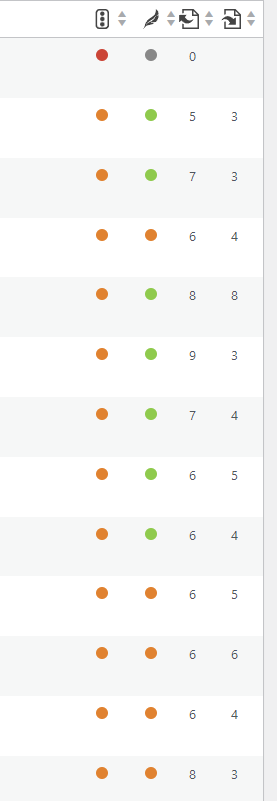
Yoast SEO is a popular WordPress plugin that helps optimize articles for search engines. To enhance SEO, users can focus on key elements such as choosing a relevant focus keyword, optimizing title and meta descriptions, improving content readability, utilizing proper headings, and ensuring the inclusion of internal and external links. Yoast provides real-time feedback and a helpful traffic light system to guide users in creating content that is more likely to rank well on search engine results pages.
Article, category and keyword optimization

Optimizing articles on WordPress with Yoast SEO involves utilizing key features such as selecting relevant focus keywords, improving content readability, optimizing titles and meta descriptions, and incorporating proper headings.
The plugin provides real-time feedback to enhance SEO and improve the chances of ranking well on search engines.
We’ve also optimized categories and keywords used in the website blog, pages and articles.
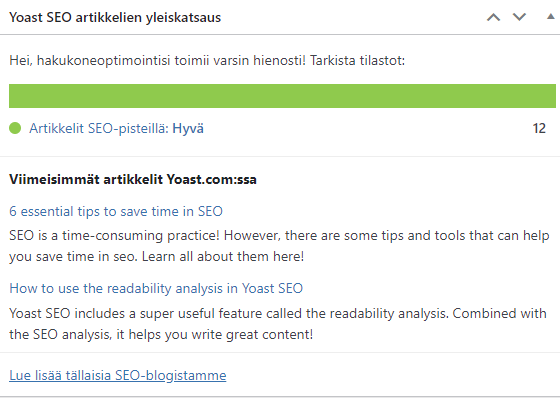
Image optimization
Smush is a user-friendly, feature-rich image optimization plugin for WordPress. Developed by WPMU DEV, Smush offers a range of tools and functionalities to streamline the image optimization process.
Using Smush we’ve optimized all 180 media attachments of the website reducing initial loading time.
Bigger images have been resized and compressed using TinyPng.
Content Delivery Network
We’ve changed the initial server nameservers from Hostingpalvelu.fi to Cloudflare CDN to enable CDN, content delivery network, and HTTPS-certificates. We’ve also checked the DNS settings and done the necessary DKIM, SPF and other email entries to support email authentication.
Caching and cookies
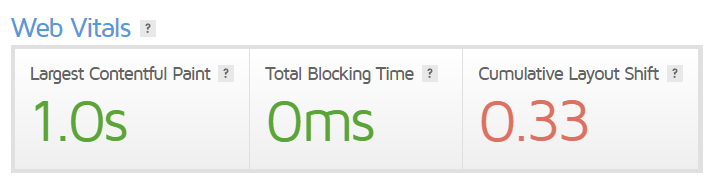
We enabled caching and connected the site to Cloudflare. The site used LiteSpeed Cache, which provides caching options. Object caching requires a compatible backend and configuration; browser caching depends on the response headers.
Localization
We’ve also localized all the English text to fit the website’s Finnish language.