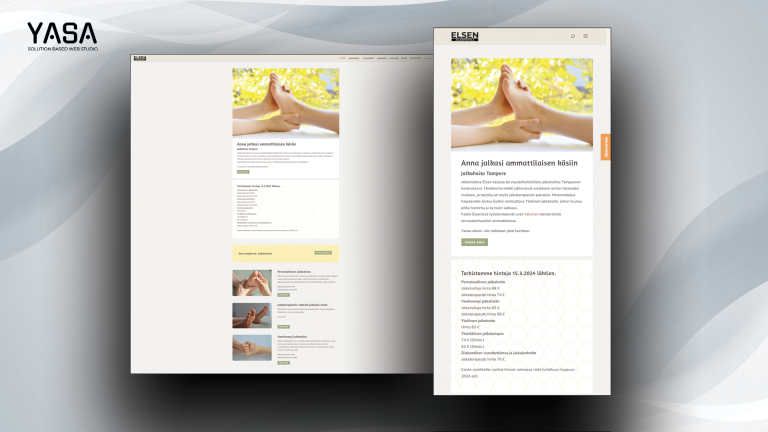
Yasa websites and digital services help businesses turn a practical need into a working online presence. That may mean a new WordPress site, a Shopify store, a better customer journey or dependable support for an existing service. The starting point is the job your website needs to do and the people who will use it.
For example, a local business may need clearer service pages and a reliable enquiry form. A shop may need better product information and a simpler route to purchase. Meanwhile, an established team may need someone to maintain and improve the site it already has. Yasa brings design, development and ongoing technical work into that conversation.
What Yasa websites are built to do
A useful website makes the next step clear. Visitors should be able to understand the offer, find the information they need and contact the business or complete the intended action. Therefore, the brief should connect design choices to real tasks, rather than beginning with a collection of visual effects.
Yasa websites and online stores bring together design, development and technical setup, with support, search and performance work available. Depending on the project, the scope can include page structure, responsive design, content entry, forms, domain configuration and agreed connections to other services. However, the actual deliverables, responsibilities and costs belong in the quotation for that project.
Start by choosing the most important outcome. For instance, a service business might want more useful enquiries, while an online store needs customers to understand its products and buying process. That priority helps decide which pages to build, what information to request and which journeys to check before launch.
Choose a platform around your working day
WordPress suits projects where an editable business website and publishing workflow are important. The current WordPress Startup service uses WordPress and its native block editor, with an agreed page structure, content setup and handover. Consequently, the people maintaining the site should take part in reviewing how everyday editing will work.
WooCommerce is another conversation when commerce belongs in a WordPress project. First, identify what the store must sell, how products differ and which order journeys matter. Then discuss the appropriate extensions, checkout services and ongoing maintenance. The platform name alone does not define the delivery scope or every third-party cost.
Shopify provides a different route for a store. Yasa’s Shopify Startup service focuses on preparing the store, theme and agreed content, followed by review and handover. Shopify’s platform subscription remains separate from the build work. For a concrete example of Yasa’s store work, read the TrainBot Shopify project story.
Choose between these approaches by discussing your actual catalogue, content, integrations and internal responsibilities. In particular, explain who will update products or pages and how often. That makes it easier to evaluate the fit of a platform and the support it will need over time.
How Yasa websites move from brief to launch
First, agree the brief. Describe the business, intended audience and useful result. List the pages, essential features, existing systems and people who can approve the work. Also identify which content and brand materials already exist. An enquiry opens this discussion; the agreed quotation establishes the work.
Next, organise the materials. Gather the approved text, photographs, logo, product information and relevant links. Clear ownership matters here: someone needs to confirm that prices, service descriptions and contact details are accurate. As a result, the build can proceed from usable material and questions can reach the right person.
Then, review the working site. Check the structure and content in the actual pages, including the mobile layout. Try the important visitor journeys and collect specific feedback. For example, describe the page, action and expected result when a form or navigation step needs attention. This gives a clearer basis for a correction than a general impression.
Finally, prepare launch and handover. Resolve the agreed feedback, confirm the release responsibilities and check the public result. Training should cover the editing tasks your team will actually perform. In addition, make sure the ongoing service arrangements and the route for support are clear before the project moves into normal use.
An example of a useful business-site brief
Imagine a small consultancy replacing an ageing website. This is an illustrative brief, rather than a fixed package promise. Its main task is to explain three services and collect qualified enquiries. The team also wants to publish occasional articles and update its own staff information.
A useful brief would identify those visitor tasks, the required pages and the information each enquiry needs. Next, it would name the person supplying the copy and the person approving it. It would also record any domain, mailbox or external-service dependencies that affect launch. That makes the quotation and review process easier to assess. Our hosted email guide explains the mailbox access and handover details.
The acceptance review can then follow the same brief. Can a visitor find the relevant service on a phone? Does the enquiry reach its intended destination? Can the team update an article without breaking the page layout? These concrete questions connect the finished website to the reason for building it.
Keep Yasa websites useful after launch
A website continues to need attention as the business, content and dependencies change. Yasa’s support and development service provides a route for maintenance and further improvements. However, a support arrangement should still have agreed priorities and scope; it is not a promise that every possible change or external charge is included.
For WordPress work, separate routine maintenance from a major platform change. First, establish the current behaviour and preserve a way to recover. Then test the affected journeys in the appropriate environment. Our WordPress upgrade preparation guide explains that review process in more detail.
Performance work should also begin with evidence. Identify which page or action feels slow, measure the relevant conditions and trace the cause before changing several settings. Similarly, review content when the offer changes. An accurate service page and a dependable contact route often matter more to a visitor than another visual flourish.
Treat search, privacy setup and content as real work
Search optimisation needs useful pages and dependable technical delivery. Therefore, start with the questions your customers ask, the pages that answer them and the action each page supports. Yasa can discuss content and technical improvements within the agreed work. Our AI SEO guide provides a deeper look at useful answers, discovery and measurement.
Privacy and consent setup also needs a defined brief. The current service pages describe configuring agreed tools and privacy-page content, with the business reviewing how the information matches its own practices. In addition, discuss which external services the website uses and who will maintain those choices. Keep those responsibilities visible at handover.
Measure improvements against the purpose of the site. For example, useful enquiries, completed visitor tasks and reliable editing are more informative than a score without context. Search and performance reports can guide decisions, but they do not guarantee a particular ranking, traffic level or business result.
Where the website fits in the wider ecosystem
Yasa is the business-facing starting point within the Yasa Ecosystem. Nexus provides assigned hosting administration, Hercules provides a project and collaboration workspace and Midas supports invoice preparation. Meanwhile, Account provides shared identity and settings, and Help provides public product guidance. You can use the services that fit the work.
These connections keep different responsibilities clear. A collaborator can work on a project without receiving server control. Likewise, a website visitor uses the normal public website without needing a Nexus account. Hosting access remains invitation-based, while the business site continues to explain Yasa’s services and provide a route to discuss them.
Also keep the commercial pieces clear. Website build work, hosting, domain renewal, platform subscriptions, paid tools and ongoing support can have different charges and responsibilities. Ask which items the quotation includes and which continue separately. This makes Yasa websites easier to plan, hand over and maintain as your needs change. For the hosting side, also see our Nexus hosting and access guide.
Start with the result you want to achieve
Tell us what your business does, who the site serves and what you want visitors to be able to do. Include the current website, any known problem, the materials you already have and the people involved in review. Then contact Yasa to discuss a practical scope, suitable platform and next step.