EV Revived brings Escape Velocity Nova to your browser. Create a pilot, launch into space and build your own route through trade, exploration and combat. The singleplayer game is live, with player accounts, cloud saves and keyboard controls. You can play EV Revived now without installing a separate game client.
For Yasa, this launch connects two interests: keeping a distinctive space game accessible and making older software work on the modern web. We adapted an existing open-source engine, built a browser interface around it and connected pilots to persistent account storage. Here is what you can play today, how the port works and where we want to take it next.
What is EV Revived?
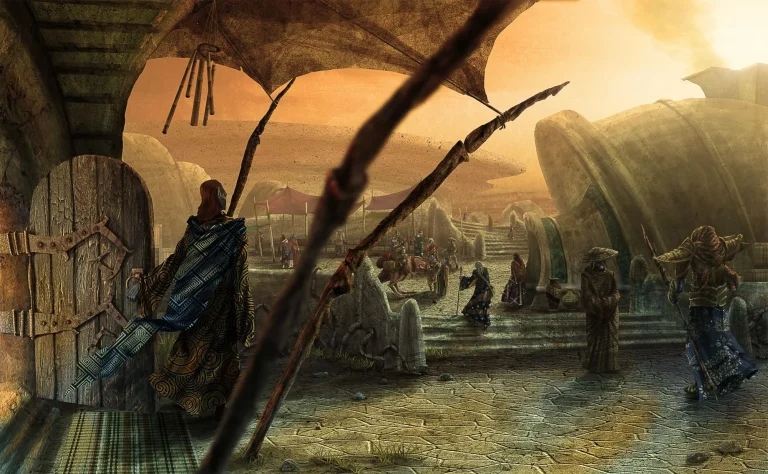
EV Revived is our browser adaptation of the Escape Velocity Nova space adventure. You fly a ship through a universe of star systems, visit planets, carry cargo and take on missions. For example, trading can fund your next upgrade; combat and exploration offer other ways forward. The appeal is having a ship, a map and decisions that gradually turn a new pilot into your own story.
Start small. First, learn how your ship accelerates and turns, find a nearby destination and practise landing. Then compare commodity prices or look for a manageable mission. You do not need to understand every system before your first flight. In particular, leave yourself enough time to get familiar with the controls before seeking a difficult fight.
Start your first EV Revived flight
- Open the EV Revived game in an up-to-date desktop browser.
- Sign in with Google through Yasa Account, or use the game’s player-account option.
- Create a pilot or select an existing one, then start or continue your flight.
- Allow the initial game resources to load. The browser downloads those resources automatically; there is no separate installer.
- Finally, use the pause menu to review your controls, and check the save confirmation before leaving.
You can keep up to five pilots, with separate adventures and saved control choices. Cloud saves let you return to confirmed progress after signing in again. Keep an eye on the save status: an abrupt connection loss cannot guarantee that the latest unsaved action has reached the server. Our Yasa Account guide explains the shared identity behind supported sign-in routes.
Your next flight starts here
A ship, a star map and a fresh start. Explore the Nova universe from a browser tab, try a trading route and see where your first mission leads. Play EV Revived and create your pilot today.
How we brought EV Revived to the web
The starting point was wraitii’s open-source EV Nova engine reimplementation, written in C++ and using SDL3. We built the adapted engine with Emscripten into WebAssembly, which lets the browser execute the compiled game code. Meanwhile, JavaScript connects that runtime to the surrounding page. This approach keeps the game simulation in the engine while giving players a web-based entry point.
A native program can keep running inside its own loop. However, a browser game must regularly return control so the page can draw frames and process input. We adapted frame pacing and pause handling for that environment. SDL’s Emscripten documentation explains this central difference between desktop and browser execution.
File access needed another bridge. A browser cannot use a desktop file chooser and ordinary filesystem paths in the same way as the original application. Instead, our port connects the engine’s virtual files to a pilot-selection interface and account-backed saves. We also added browser-specific start and resume flows, saved control settings and recovery from the last landed checkpoint after destruction.
The surrounding service runs on our hosting infrastructure, with HTTPS and persistent private save storage. Our Nexus hosting guide describes the platform. Players enter through the public game; they do not need infrastructure administration access. EV Revived also uses the shared navigation and identity connections described in our Yasa Ecosystem overview.
Keyboard and controller controls in EV Revived
Keyboard play is available now. Pause the game with Escape, review the bindings and choose keys that suit the selected pilot. Those choices stay with that pilot, so changing one adventure’s setup does not overwrite another pilot’s controls. The page can also expand the game within its browser tab.
Browser-compatible controllers are now supported alongside the keyboard, with Xbox-style defaults. In the pause menu, open input settings for the selected pilot, choose Keyboard or Controller and adjust the mapping. You can also set a stick dead zone and enable a right-stick pointer for menus. Press Start to pause; hold View for secondary actions. No separate gamepad software download is needed.
We use the browser’s Gamepad API to read buttons and axes, then pass those actions into a native input bridge in the WebAssembly engine. As a result, flight controls and menus use the game’s own input handling, including held buttons and release events.
If a controller disconnects, the game releases held inputs, pauses and activates keyboard fallback. You can then resume with the keyboard or select a connected controller again. Input mode and mappings stay with the pilot and save to your account. Browser and device compatibility can vary; press a controller button while the game page is active so the browser can detect it.
Next: multiplayer with its own server
Our longer-term plan is to make EV Revived multiplayer, backed by its own game server. Today, each pilot plays a singleplayer simulation. Cloud save storage keeps progress between sessions; it does not put other players into the same universe.
A multiplayer version needs a shared authority for the world: ship positions, combat, missions and economic changes must remain consistent across connected players. Reconnection and latency also need deliberate handling. We want to build that foundation while preserving the browser-based way into the game. The dedicated multiplayer server is a development direction, with no release date announced.
Take EV Revived for a flight
The first release gives you a singleplayer space adventure with a browser entry point, persistent pilots and room to explore. Start with a short flight, learn a trading route and return when you are ready for the next mission. Open EV Revived and play.
You can find the engine and library acknowledgements on the game’s credits and licenses page. Our browser adaptations build on that work; the engine’s open-source license and the original game assets have separate rights.
Have a useful observation from your flight, or a web project that needs a similar bridge between an existing application and the browser? Contact Yasa with what you tried and what happened.