From Yasa Ltd comes Email Template Customizer, a WordPress plugin for editing the content and appearance of selected core email notifications.
WordPress sends notifications for events such as password resets, account changes and comments. Email templates let you adapt supported messages to your site’s wording and visual identity.
Why customize WordPress email notifications?
Clear email notifications help users understand what happened on their account and what to do next. Use recognizable wording, useful links and a format that works for your recipients.
Brand Consistency: Use consistent names, wording and visual elements to help recipients recognize messages from your site.
Trust and Credibility: Clear content and recognizable branding can help readers understand a message. Appearance alone does not prove that an email is authentic.
Improved Communication: HTML formatting can organize information with headings, lists and emphasis. Check readability in the email clients your recipients use.
Better Engagement: Clear instructions and links can make the next step easier to find, whether a user is registering, resetting a password or reviewing a comment.
Templates for WordPress core notifications
User Registration Emails
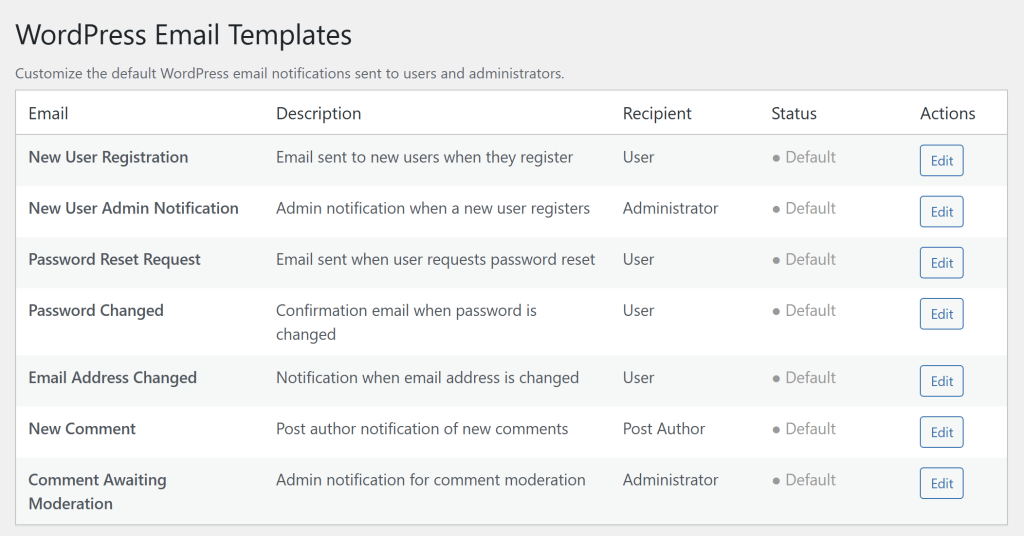
Customize welcome emails sent to new users and admin notifications when someone registers. Add your branding, include helpful links to get started, and set the right tone from the first interaction.
Password Management
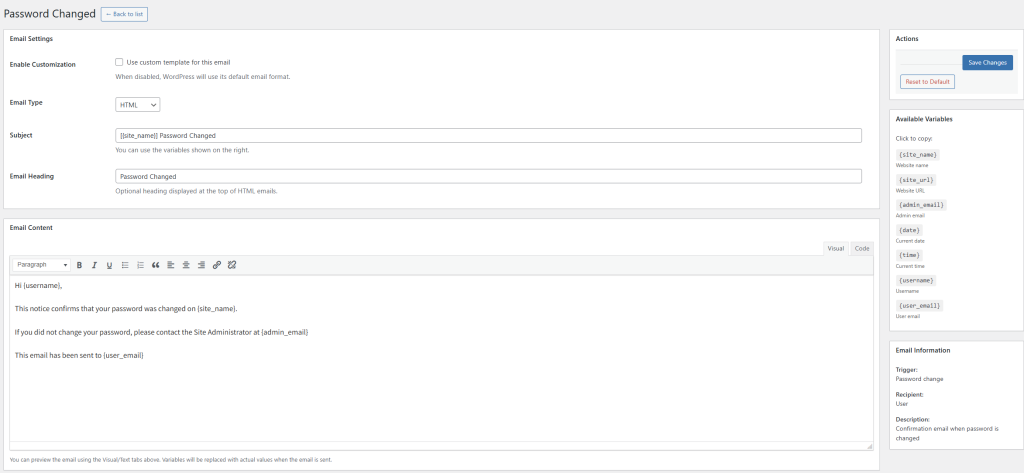
Edit password reset and password-change messages. Keep the required links and variables intact and check that the instructions remain clear.
Account Updates
Modify email and password change notifications to reflect your site’s voice and style. Keep users informed about account security while maintaining brand consistency.
Comment Notifications
Transform comment notifications for post authors and moderation alerts for administrators. Make it easy for users to engage with their audience through well-formatted, actionable emails.
Key Features Built for Flexibility
The plugin uses the WordPress visual editor and offers HTML and plain-text settings. The editor preview shows placeholders; recipient-specific values are filled in when a message is generated. Check the resulting messages before relying on the templates in production.
Dynamic Variables: Use the variables listed for each template, such as usernames, site names and reset links. Available values depend on the notification type.
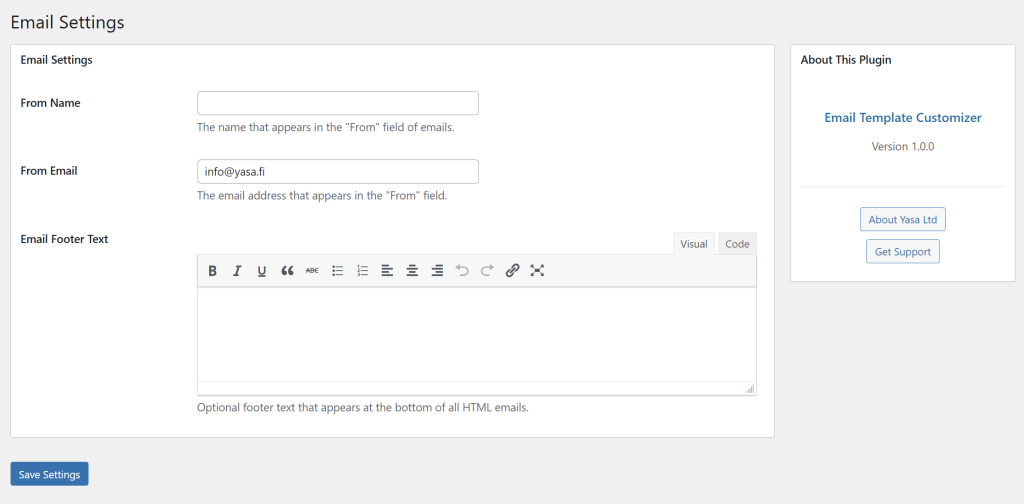
Custom Sender Information: Configure a sender name and address. These settings use WordPress-wide mail filters and may also affect messages sent by other plugins; they do not configure email delivery or sender authentication.
Global Footer: Set shared footer content for HTML messages formatted by this plugin. The footer is not added to plain-text messages.
Safety Net: “Reset to Default” removes the saved customization for that template and disables its override. Global sender settings remain separate.
Using the plugin with WordPress
Check the plugin with your WordPress version, theme and other plugins before enabling customized notifications on a live site.
After installing and activating the downloaded ZIP, open “Email Templates” in WordPress administration. Choose a template, enable customization, edit its subject, heading and content, then save your changes.
The downloadable package identifies itself as version 1.0.0 and includes translation functions. Check compatibility with your current environment, including any multisite setup; this article does not establish testing against the latest WordPress release.
Getting Started with Email Template Customizer
Download the ZIP for “Email Template Customizer” below. In WordPress administration, open Plugins > Add New, choose Upload Plugin, select the ZIP, install it and activate the plugin.
Open Email Templates in the admin menu and choose the notification types you need. Preserve the required variables and verify the resulting messages with test accounts before enabling changes for users.